

16 inspiring pitch deck examples + templates
This guide uncovers inspiring pitch deck examples, pro tips from top companies, and how Figma can help you create a winning pitch deck.
Skip to main content
Building with AI
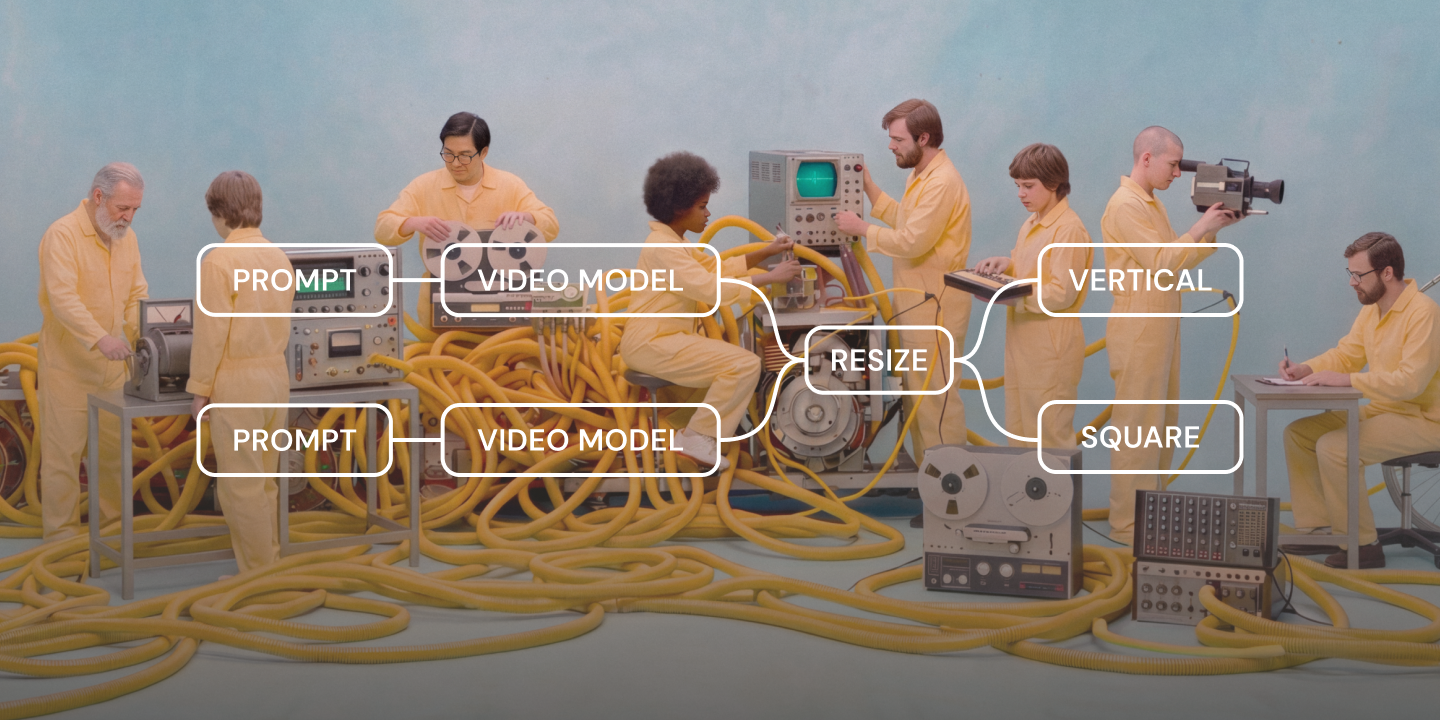
You’ve got two minutes in a pitch meeting before the investor’s attention drifts back to their phone, or 10 seconds before a user scrolls right past your portfolio link. A sizzle reel is built for that exact moment. It’s a short, fast-paced video that compresses your best footage and boldest ideas into something captivating, so you can make your case before anyone’s committed to hearing the whole story.
The format works just about anywhere someone needs to win people over quickly. Even though the stakes and audience change from one use case to the next, entertainment pitches, brand marketing recaps, event highlights, and creative portfolios all lean on the same fast-cut style. But what separates a sizzle reel that lands from one that doesn’t is a strong structure.
Read on to learn:
A sizzle reel is a short, fast-paced promotional video that compresses the best moments from a brand, project, or creator into something built to persuade quickly.
The name traces back to an old sales principle coined by Elmer Wheeler, “sell the sizzle, not the steak.” He argued that the sound and smell of a steak on the grill sells it faster than any description of the cut of meat could.
A sizzle reel borrows that same logic for video. Skip the full storytelling and go straight for persuasion, leading with the most exciting moments of a brand, project, or body of work. This approach bets that the “sizzle” will earn enough interest to make someone want the whole steak.
Three core parts make up a sizzle reel: the hook, the proof, and the close.
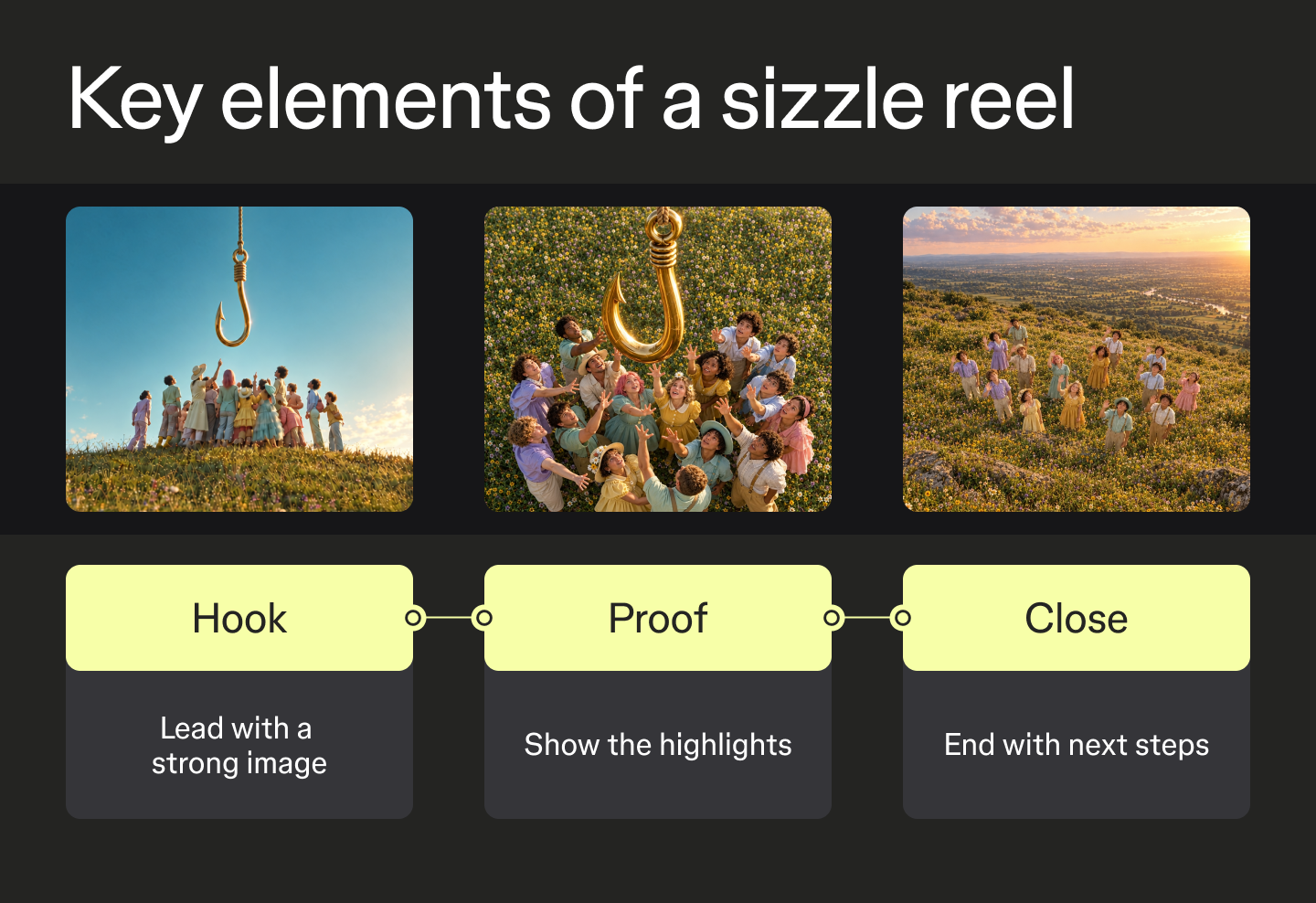
Sizzle reels show up anywhere someone has seconds, not minutes, to make a case for support and buy-in. The exact audience and stakes shift depending on who’s making the ask, but the format largely stays the same.
Filmmakers and producers use sizzle reels, sometimes called pitch tapes, to show a network or an investor what a movie or TV show will feel like before it’s fully funded or greenlit. A strong pitch tape doesn’t need finished footage, just enough proof of concept to make the idea feel real.
Agencies and freelancers rely on the sizzle reels to win new business, too. Prospective clients get a taste of past work before they ever open a pitch deck.
Brand and marketing teams use sizzle reels to recap a product launch, a conference, or a company milestone, building momentum for what’s next. The goal is to craft something people will actually watch to the end and get excited about, instead of making them skim a slide deck.
As a designer, editor, or other creative, you can build a sizzle reel as a living portfolio, since a well-cut reel says more about your craft in 60 seconds than a resume does in a page. A sizzle reel also makes for a strong opening clip on a portfolio website.
The best sizzle reels aren’t longer or flashier than the rest. They’re just structured with intent. Every effective sizzle reel shares the same five building blocks, even when the footage, audience, and length all look completely different.
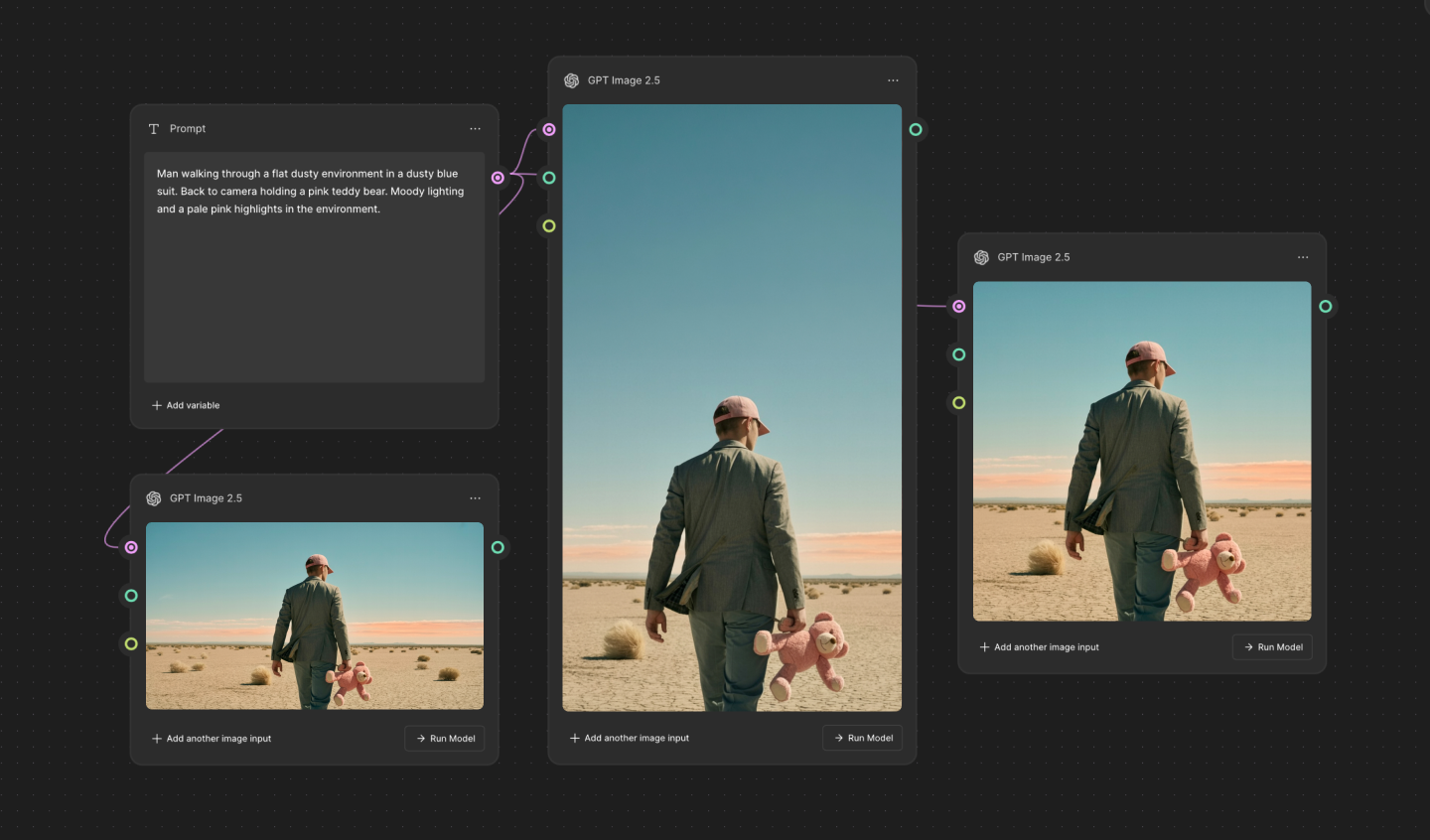
Once you’ve generated or gathered your strongest visuals, Figma Weave can produce on-brand variations across aspect ratios (square, vertical, widescreen) from one finalized look.
Use the Transfer style tool or a shared color palette to keep newly generated b-roll or title cards visually consistent with your existing footage. This is useful when the same reel needs to work on a pitch-deck screen and on Instagram posts, without reshooting or redesigning a thing. Figma Weave workflows show how it all comes together.
Map your reel’s story arc before you touch a single clip. FigJam is an online whiteboard to brainstorm, meet, and get work done.
Music and sound design should build momentum instead of just filling silence. Pair that with short on-screen text or a concise voiceover—but not both at the same time, since they would compete for attention. A cohesive sense of tone and audience keeps the reel from feeling like a grab bag of unrelated clips.
The Image describer node in Figma Weave can help here, too. Point it at a reference image, and it breaks the visual style down into an editable written description, which makes it easier to keep new title cards or generated b-roll on-brand with whatever tone the rest of the reel is already using.
Pro tip: Many of the same creative presentation tips that make a slide deck land, like pacing, contrast, and one clear idea at a time, carry over directly to a sizzle reel’s on-screen text.
The term “sizzle reel” gets used loosely, and it’s easy to confuse it with a trailer, a demo reel, or a highlight reel. They all share the same components: short runtime, tight editing, and a mix of visuals cut together to hold someone’s attention. What separates them is who each one is trying to convince, and of what.
The sizzle reel vs. trailer mix-up is common, probably because both formats promote a project using a short cut of footage set to music. But a trailer sells a finished, released project to the general public, while a sizzle reel pitches something still in progress to a much smaller room of investors, clients, or decision-makers.
| Sizzle reel | Trailer | |
|---|---|---|
| Purpose | Pitches an idea or brand before it is finished | Promotes a finished, released project |
| Audience | Potential investors, clients, and other decision-makers | General public |
| Typical length | 30–120 seconds | 60–150 seconds, often more polished |
| Footage used | Work-in-progress footage, mockups, or b-roll | Final, fully produced footage |
| Structure | Idea, proof, and an ask | Plot setup without spoiling the ending |
Sizzle reel length typically runs anywhere from 30 seconds to 2 minutes. Fast, intentional pacing matters more than a long runtime. Most viewers decide whether to keep watching in the first few seconds, so place your strongest footage up front.
There’s no industry-standard number, because cost depends entirely on scope. A self-edited reel built from existing footage might cost only your own editing time, while the cost of a fully produced, professionally shot reel scales up with crew, location, music licensing, and more.
A sizzle reel is built to persuade. It sells an idea, a brand, or a body of work, whether that’s a feature film still chasing funding or a recent launch that a company wants to build momentum around.
A highlight reel looks backward, celebrating something that already happened, like a sports game or a season of a TV show.
A demo reel also showcases finished work, but it functions as an ongoing portfolio with no single pitch or event behind it.
Most sizzle reel examples fall into one of three buckets: unsold pitch tapes, brand recap videos, or creative portfolio reels.
One of the best-known examples is the test footage Director Tim Miller and Blur Studio made for Deadpool around 2011. The two-minute reel sat unused for years until it leaked online in 2014, and the fan response it generated is widely credited with convincing Fox to finally greenlight the film, which went on to gross nearly $800 million.
A pitch tape works like a sizzle reel built specifically for financiers. It presents a short cut of concept footage, mockups, or b-roll that shows what a documentary, movie, or show will feel like before it’s fully funded. Instead of asking an investor to imagine the finished project from a script alone, a pitch tape gives them something concrete to react to, which can speed up their decision.
Editors typically cut sizzle reels in a standard video editor like Premiere Pro, Final Cut Pro, or DaVinci Resolve, where the timeline, cuts, and audio sync come together.
Increasingly, the visuals feeding into that edit get shaped first in an AI tool like Figma Weave. The editing tools in Figma Weave—crop, relight, upscale, and inpaint or outpaint to extend a frame—can refine the images and video before they land in the timeline. The cutting itself still happens in the video editor.
A well-structured sizzle reel needs a fast hook, strong opening footage, a consistent tone, and a clear close. Get those right, and the format works.
From pitching a TV show to building a freelance portfolio, the Figma ecosystem can help you plan, generate, and ship a good sizzle reel:
Figma Weave is an AI-native platform for generating and editing the images, video, and audio that go into a memorable sizzle reel.
This guide uncovers inspiring pitch deck examples, pro tips from top companies, and how Figma can help you create a winning pitch deck.


Looking to create a portfolio website? Explore inspiring portfolio website examples, tips for creating your own, and how Figma can help in this guide.


Take your PowerPoint or slideshow to the next level and engage your audience with 60 presentation ideas and creative design tips from Figma.


Build a powerful AI product design stack with these 5 specialized tools. Unify your workflow, from concept art to code, for maximum speed and efficiency.


Find some of the best AI design tools for 2026. Compare tool capabilities and benefits to streamline your design process and boost your creativity.


Need to freshen up your feed? Explore 11 Instagram post ideas with stylish, editable templates from Figma to help you craft visually stunning posts with ease.
Build faster with Figma Weave