One character, unlimited scenes at scale
Build your character workflow once, then run it across dozens of scenes, poses, or campaign variations. Produce volume without starting over or losing the thread of who your character is.
Skip to main content
Keep your characters on-model across every scene, pose, and output.
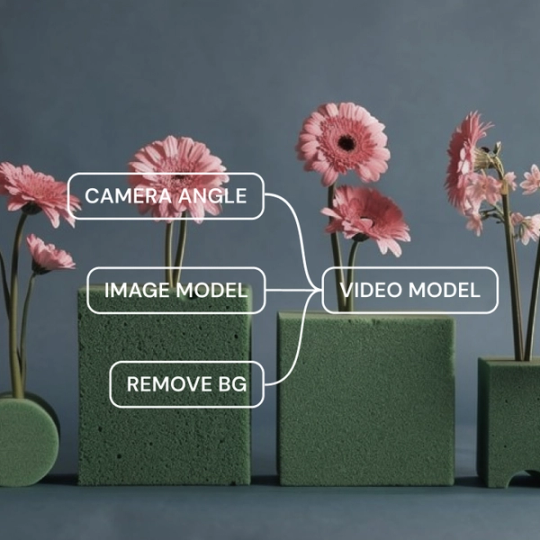
Most AI tools treat each generation as a fresh start. Weave lets you lock in character references, style parameters, and visual anchors across your entire workflow — so every output stays recognizably on-model.
Build your character workflow once, then run it across dozens of scenes, poses, or campaign variations. Produce volume without starting over or losing the thread of who your character is.


Encode your character's visual standards into a reusable workflow. Teammates add new scene inputs and get on-brand results — no need to rebuild the character logic or depend on one person's eye every time.


Access image, video, and 3D models from multiple providers in a single workflow. Feed your character reference through the best model for each output type without re-uploading or losing consistency between tools.


Define your character's visual identity once — reference images, style anchors, key attributes — and connect it to every generation step. Each node inherits your direction, so consistency is structural, not accidental.
Upload reference images or generate your initial character. Lock in the visual anchors — face, proportions, style — that define who this character is across outputs.
Connect your character reference to generation nodes across scenes and formats. Add editing steps for lighting, color, or compositing. Every node inherits your direction.
Run your workflow to produce new poses, scenes, or formats. Review outputs, adjust nodes as needed, and iterate until every result stays on-model.
More resources
See how the Figma Community is using Figma Weave to create AI-generated images, video, and 3D.
An AI consistent character generator creates images of the same character across different poses, scenes, and contexts while maintaining visual identity. Figma Weave achieves this through a node-based pipeline where character references connect to every generation step.
Weave lets you define visual anchors — reference images, style parameters, key attributes — and connect them structurally to every generation node. Consistency becomes part of the workflow logic, not something you hope each prompt preserves.
Yes. You establish your character reference once, then generate across poses, scenes, and formats. The pipeline carries your character's visual identity through each output without starting fresh every time.
Build a character workflow in Weave, then run it across your story's scenes. Each panel inherits the same character logic, and you can add editing nodes for lighting or compositing to match different narrative moments.
Prompts matter, but Weave goes further by structuring consistency into the workflow itself. Reference images and style anchors carry more weight than any single prompt, ensuring your character stays on-model across outputs.
You can get started with Figma Weave for free. Advanced features and higher usage are available on paid plans.

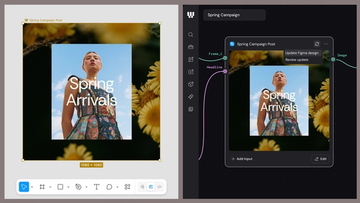
Figma Weave brings AI generation and editing tools together into connected, reusable workflows, giving you a process your team can shape, refine, and repeat. Here’s what it unlocks for creative teams and how to get the most out of it.
Design systems can power more than just designs. This workflow shows you how to turn raw materials into brand campaign collateral using the Gen Effect and Figma nodes.

Community publishing is now live for Weave tools. Here are a few tools that stand out, from turning a moodboard into a realistic room mockup to previewing your next nail set.

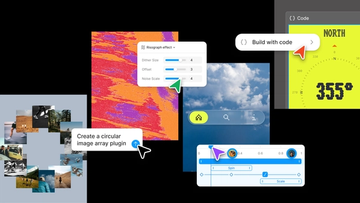
Push past what you thought was possible with code layers, Figma Motion, shaders, generative plugins and Weave tools, all on the canvas.

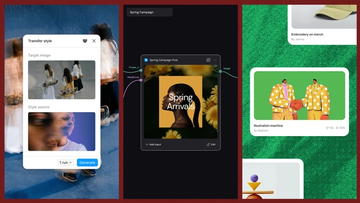
Today, we’re announcing new ways your Weave creative workflows can live alongside your Figma frames.
Aleph 2.0 brings frame-level creative direction to the Figma Weave canvas.