Every AI model for retouching, one place
Access all major AI models for skin smoothing, blemish removal, lighting correction, and enhancement — without juggling subscriptions. Choose the right model for each retouching task in a single workflow.
Skip to main content
Every AI model, professional editing tools, one canvas — no switching.
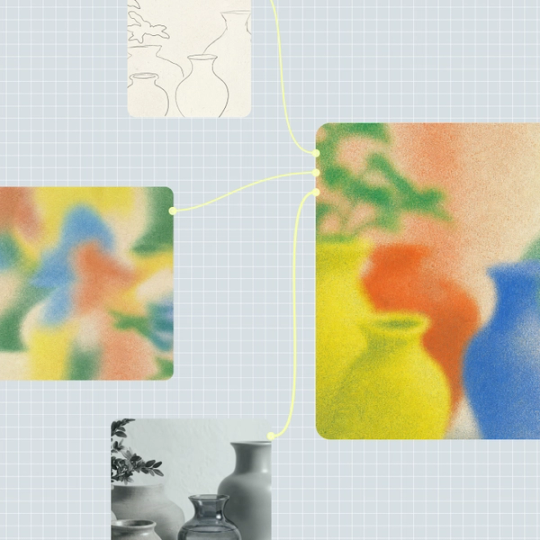
Build retouching pipelines that connect AI generation to the editing tools you already rely on. Mask, color grade, and composite — all in the same workflow, all under your control.
Access all major AI models for skin smoothing, blemish removal, lighting correction, and enhancement — without juggling subscriptions. Choose the right model for each retouching task in a single workflow.


Layers, masking, color grading, and compositing are native to the canvas. Go beyond AI generation — refine skin tones, adjust exposure, and perfect details with the same tools professionals use, connected directly to AI output.


Most AI tools hide retouching decisions behind a single prompt. Weave makes every step visible — skin correction, lighting adjustments, color work — so your creative direction stays explicit and adjustable.


Build your retouching workflow once, then run it across entire photo libraries. Maintain consistent quality and style across headshots, product shots, or campaign imagery without starting over each time.
Connect to AI models suited for skin smoothing, blemish removal, or lighting correction. Mix different providers for different retouching tasks within the same workflow.
Add editing nodes between AI steps — mask specific areas, adjust color balance, composite layers. Make your entire retouching process visible and repeatable on the canvas.
Run your workflow, review the retouched output, and adjust. Tweak a node, change intensity, or swap models until every detail meets your standard.
More resources
See how the Figma Community is using Figma Weave to create AI-generated images, video, and 3D.
Figma Weave connects you to AI models capable of skin smoothing, blemish removal, lighting correction, and enhancement. Combined with professional editing tools on the same canvas, you can achieve results that meet commercial standards while maintaining full control over the process.
Weave gives you access to multiple AI model providers alongside native editing tools — layers, masking, color grading, and compositing. You choose which models handle which retouching tasks, and professional finishing happens in the same workflow.
You can get started with Figma Weave for free. Advanced features and higher usage are available on paid plans. This includes access to multiple AI models without managing separate subscriptions.
In Weave, you build a retouching workflow by connecting AI models and editing nodes on a visual canvas. Upload your photo, run it through your pipeline, then refine — adjusting skin tones, removing blemishes, or correcting lighting until the result meets your vision.
Different AI models excel at different tasks — some handle skin smoothing better, others specialize in lighting correction. Figma Weave lets you access multiple providers in one workflow, so you can use the best model for each step rather than being locked to a single option.
Yes. Weave workflows are reusable systems. Build your retouching pipeline once, then run it across entire photo sets — headshots, product images, campaign photography — maintaining consistent quality without rebuilding the workflow each time.

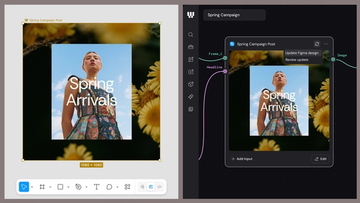
Figma Weave brings AI generation and editing tools together into connected, reusable workflows, giving you a process your team can shape, refine, and repeat. Here’s what it unlocks for creative teams and how to get the most out of it.
Design systems can power more than just designs. This workflow shows you how to turn raw materials into brand campaign collateral using the Gen Effect and Figma nodes.

Community publishing is now live for Weave tools. Here are a few tools that stand out, from turning a moodboard into a realistic room mockup to previewing your next nail set.

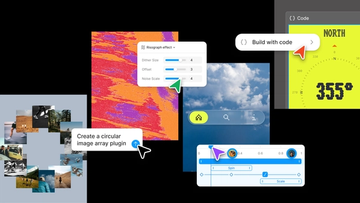
Push past what you thought was possible with code layers, Figma Motion, shaders, generative plugins and Weave tools, all on the canvas.

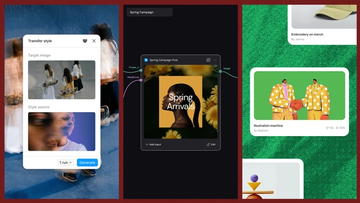
Today, we’re announcing new ways your Weave creative workflows can live alongside your Figma frames.
Aleph 2.0 brings frame-level creative direction to the Figma Weave canvas.