
How 3D transforms and Figma’s agent brought a launch video to life

See how Figma’s Brand Studio team combined 3D design, agent-built plugins, shaders, and motion to create a video together on the canvas.
Share How 3D transforms and Figma’s agent brought a launch video to life
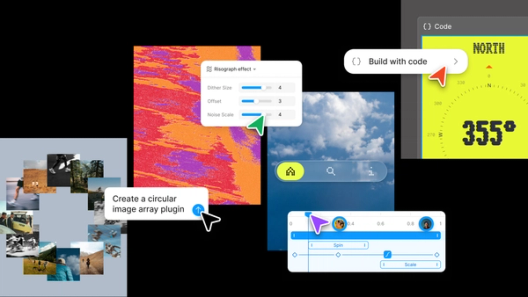
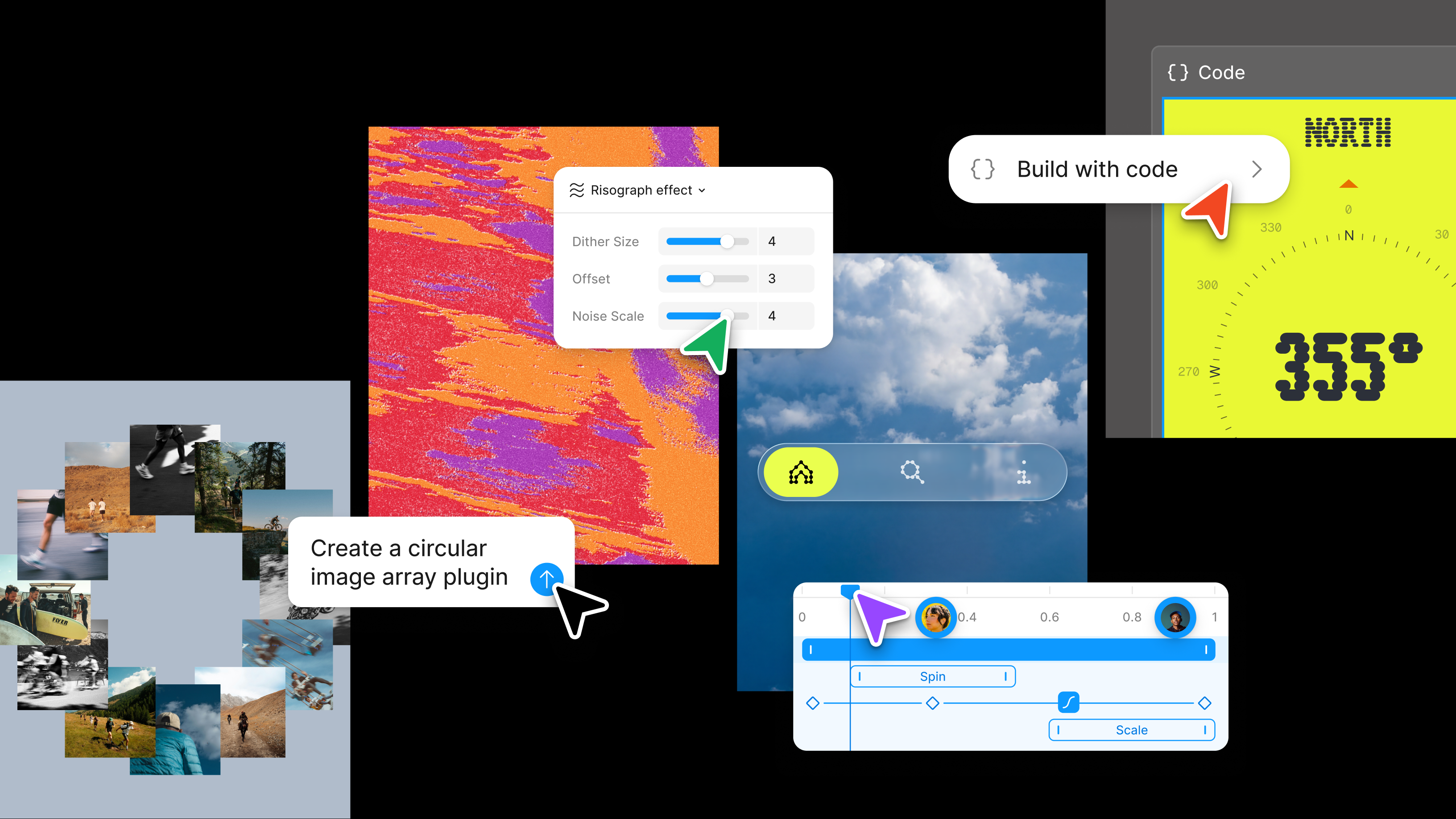
Earlier this year, we announced new expressive functionality in Figma Push past what you thought was possible with code layers, Figma Motion, shaders, generative plugins and Weave tools, all on the canvas.
Config 2026: New materials, new tools and a more expressive canvas
The Figma agent is now generally available.
Use the 3D transform effect to tilt, rotate, and arrange text, images, vectors, and frames in space. Add the perspective effect to a parent frame, and those elements become part of a shared spatial composition. The effects are non-destructive: The original artwork remains editable underneath, while text and fills render with the transformed layer. Like any effect in Figma, you can combine 3D transforms with other effects like shaders, animate them with Figma Motion, or explore with the agent to take your work in new directions.
Having these materials on the canvas changes not just what teams can make, but how they work together. For the Figma Brand Studio team, these tools help us explore spatial layouts in new ways, save time by automating tedious tasks, and build on each other’s ideas from the design phase all the way through to animation. Our team put these effects to work on a fitting project: the launch video for 3D transforms. Here’s what we made, and how our explorations on the canvas shaped the result.
From storyboard to ship
Using 3D transforms
Apply the 3D transform and perspective effects to vectors, images, frames, components, and text. Hide or remove the effects at any time.
For the 3D transforms launch video, the team’s brief was simple: push the feature as far as we could, to the edges of what’s possible in Figma. We began scoping the video through exploration, testing how brand elements relate to one another in static spaces and in motion, making layouts feel more playful, immersive, or dimensional. A typographic composition can turn toward the viewer. A set of images can rotate in a carousel. An illustration can take on dimension while its vectors remain editable.
These are a few of the use cases we landed on for the launch video.
Turning typography into spatial compositions
Deanna Gueli, a brand designer on our team, started experimenting with typography arranged along different axes in 3D space. Her exploration began with a simple black-and-white study: one word, repeated and staggered in space. She worked out an initial placement, then asked the Figma agent to repeat it at intervals along the Z axis. Asking the agent to do the heavy lifting let her explore the spacing without manually calculating every position. “There was a tango back and forth: The agent did math, and I did the creative stuff,” she says.
There was a tango back and forth: The agent did math, and I did the creative stuff.
To push the sense of depth further, Deanna built geometry, placed the typography on its surfaces, and rotated the whole object in 3D space. She used the Figma agent to help construct the geometry, placing the type animation onto a rectangular tube and turning that form into a component.
Duplicating the component let her quickly test a larger composition: How many tubes should fill the frame? How far apart should they sit? What happens when the whole arrangement rotates? Being able to quickly iterate on the 3D forms and compare compositions side by side on the canvas helped Deanna see which directions were working, and which weren’t. She discovered how rotating the forms could reveal the full depth of the design, showing relationships that a single static view couldn’t capture.

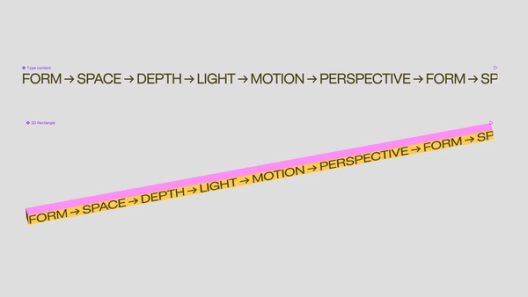
Turning the forms into components also opened up the art direction to the rest of the team. Even after the scene was animated, brand designer Yeojin Shin could adjust colors and gradients through the components, and those changes would carry into the animation. That became especially useful as we assembled the edit. When the typography shot moved to a different point in the video, we could easily adjust its color palette to complement the shots around it. We could keep shaping the art direction while simultaneously seeing how the animation looked in the context.
Building expressive layouts with Figma’s agent
Ben Hill, a brand motion designer on the team, wanted to explore expressive 3D layouts by tilting, stacking, and rotating frames to give flat compositions depth. He started with a set of simple cards, but arranging each one by hand was slow.
“Laying out a bunch of elements in 3D space by hand is tedious and imprecise. You’re either eyeballing their placement, or doing math and manually entering values for dozens of objects,” Ben said. “So I had the Figma agent build a generative plugin to do the heavy lifting, arranging everything into a grid, a helix, a ring, or a randomized scatter.”
Laying out a bunch of elements in 3D space by hand is tedious... So I had the Figma agent build a generative plugin.
With the plugin handling placement, Ben could generate variations, move the arrangements in space, and compare compositions on the canvas. Working with placeholder shapes let him focus on depth, balance, and movement before developing the artwork.

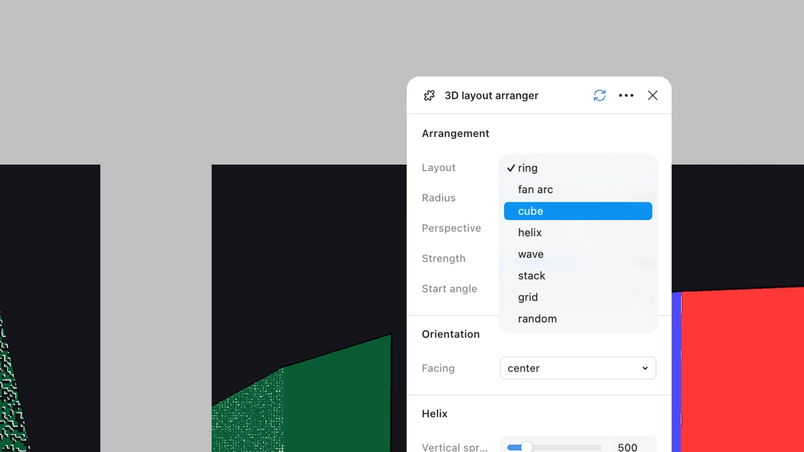
Ben chose the plugin’s randomized arrangement for its loose, expressive feel, then replaced the placeholder cards with photography, circles, lines, and other graphic elements. Building brand components let him keep refining the artwork as he animated. He could watch the composition turn, see how the elements worked together from different angles, and adjust the design in response.
Shaders helped develop the look further. Ben explored surface treatments and added light sweeps across the assets to give them a sense of texture. The layout, art direction, and animation could evolve together, with each pass informing the next, until Ben was happy with the final result.
Illustrating a dimensional experience
Ben’s next exploration started with a question: Could a set of vector shapes become a dimensional illustration? He arranged shapes in 3D space to build a flower, starting in grayscale to work out the form and composition before developing its visual treatment. Shaders brought color into the scene, and Ben used a gradient-map shader to assign colors to the light and dark values in the artwork.
To explore how the 3D illustration could function within a brand experience, Ben placed it in a homepage concept for a fictional brand alongside animated typography, logos, and icons that Gilles Desmadrille, another brand motion designer on our team, had developed. That context changed how the scene needed to move.
“The original flower animation had a more fluid, handheld camera style, but we wanted to make it a bit more simple and tied to a scrolling action,” Ben explained. The team pared back the motion and adjusted its timing to work with the type animation.
Shaping every shot, together
Using 3D transforms allowed us to flip our creative decision-making. We could test a rough spatial composition in motion, see whether the idea worked, and use what we learned to develop the art direction. Some ideas were hard to judge as static designs. Testing them in motion let us show how they would work before committing to the final art direction.
The work also remained collaborative throughout the process. Brand designers could adjust colors and gradients through components after a scene was animated, while motion designers continued refining the movement. As the edit came together, we could make those decisions in context, without moving assets between tools or waiting for someone to hand over a working file. Being on the canvas meant there was more room to experiment, and more people involved in the process.
When you’re ready to bring your spatial designs into a website or product, 3D transforms map directly to CSS. Select a 3D layer in Dev Mode to inspect and copy its exact CSS transform, including depth and rotation on every axis. Coding agents can also read and create 3D designs through the Figma MCP server, connecting what you explore on the canvas with what you build in code.
3D transforms are now in open beta for all Full seat users. Start exploring dimension, perspective, and depth in your compositions, or ask the Figma agent to build a 3D scene and bring it to life with keyframed animations in Figma Motion.
Go to the help center to learn more, and check out the playground file to learn how to get started and explore examples from our product design and brand design teams. We can’t wait to see where you take them.
Chad Colby is the Director of Motion Design at Figma. He lives in Windsor Terrace, Brooklyn.