
Behind the build: Generative plugins and shaders at Figma

Starting today, you’ll have more creative control over generative plugins and shaders, and a way to share what you’ve made with the community. Product Designer Rogie King tells the story of how we got here.
Share Behind the build: Generative plugins and shaders at Figma
We brought generative plugins and shaders Prompting gets you started. Custom tools, real context, and skills take the design agent further—so what ends up on the canvas actually looks like you.
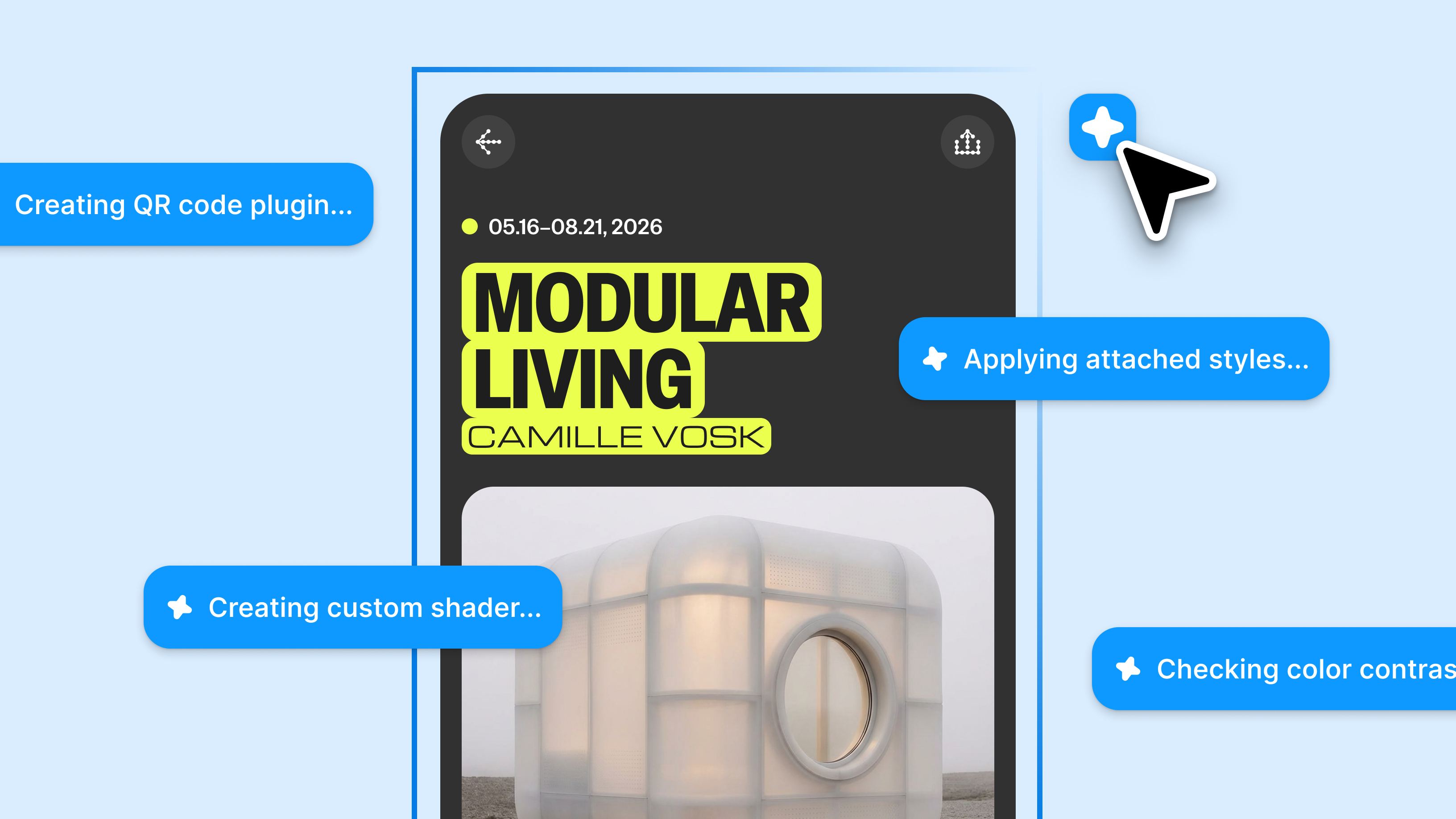
Figma’s design agent, now with custom tools and greater context
- Community and internal publishing: Publish plugins and shaders that you’ve created with the Figma design agent to the Figma Community, or privately to your organization if you’re on an Organization or Enterprise plan.
- Animated and interactive shaders: The agent can now build motion and interactivity into any effect you describe.
- Code access: View and download the code behind any shader or plugins you’ve created, so you can edit the code directly in a third-party agent.
- MCP updates: Use the Figma MCP serverto view and change generative plugins and shaders with your agent, or export shaders to an agent that implements them precisely in React code.

The TL;DR on MCP: Why context matters and how to put it to work
Figma’s MCP server brings your design decisions into the tools where code gets written—so what gets built actually matches what was designed. Here’s what that unlocks for everyone who builds products.
These updates are a microcosm of what it’s like to build now: in collaboration with AI, moving fluidly between design and code, and together on the canvas. I want to share the story of how we launched generative plugins and shaders because building and shipping this vision can teach us something about where design is now. Here’s how we got the idea off the ground, brought the right team together, and made something bigger than any of us could have managed alone.
Vibe coding with a vision
At a high level, shaders let you visually manipulate layers in Figma Design, either as a fill or an effect. They are incredibly powerful GPU programs that can bend and change pixels in real time. In 2022, I built the Noise & Texture plugin to bring this magic onto the canvas, but there wasn’t a path forward for deeper integration.
If you want to go deeper on how shaders work, Dan Hollick’s chapter in Making Software and Patricio Gonzalez Vivo’s interactive “Book of Shaders” are great resources.
I’ve been obsessed with bringing the power of shaders to Figma for years now. But it wasn’t until recently that LLMs made it easier to show (and not just “tell”) my vision. To start, I vibe coded a WebGPU environment that behaved like Figma, where you could add shader effects to any layer on the canvas, including vectors, 3D layers, and even particle systems. I focused on building three key things:
- Composability, so one shader’s output feeds the next
- Editor ergonomics, so you can touch and feel the design with dynamically generated controls in a way that simple prompting doesn’t allow
- Agentic creation, so LLMs can suggest controls you can tinker with
While it had taken us months to build progressive blur in Figma Draw Figma Draw pairs faster, simpler vector editing with powerful tools for visual expression—so designers of all stripes can bring their vision to life without breaking focus.
Express yourself with Figma Draw
Assembling the right team
I turned to Yassir Solomah, a rendering and animation engineer, with my questions: Would this really work? Was I approaching it in the right way? Would this tank performance in Figma? After all, a vibe-coded approximation of a WebGPU canvas app is nowhere near the enterprise-scale, tile-rendered real thing. (Try making a performant infinite canvas. It’s deceptively challenging Our vision for the future of design tools is one where both the tool and the content are easily available to anyone, anywhere. 
Building a professional design tool on the web
Thankfully, Yassir was in. We ripped out my WebGL 2 fragment shader system and replaced it with a WebGPU pipeline system, so shaders could become miniature programs: rendering 3D objects, and applying logic based on mouse position and time in order to control visuals within layers. With this architecture, we could isolate graphics generation scripts in their own sandboxes, while leveraging the full power of WebGPU. This meant safer user-run scripts, logic, particle systems, compute shaders, 3D support, and more.
Yassir validated my prototype by producing working versions of it in Figma Design. That’s when Georgia Rust, a product manager, caught wind of our idea. She has a bird’s eye view of what’s happening at Figma, so she knew how to tie our efforts into what other teams were building and get us the resources we needed to make this happen. For example, Product Designer Jason Calleiro was sharing prototypes of adaptive and generative plugins in Figma Design around the same time. Georgia encouraged us to combine forces under the umbrella of generative tools: a suite of ways to use agents on the canvas to create custom plugins and shaders on the fly.


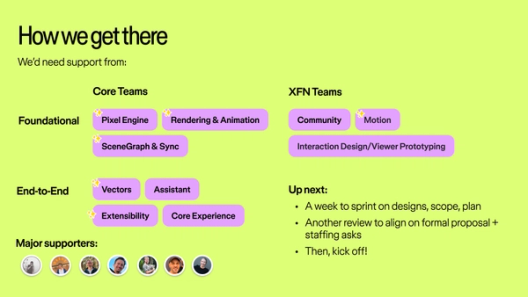
Over a few planning sessions, Georgia, Yassir, and I grew our idea from a handful of demos to a proper pitch that executives could believe in. I did a live demo of the ability to prompt shader effects with agents, complete with canvas handles and dynamic controls. Yassir backed it up with the core implementation, the security model, and how we’d maintain good performance. Georgia laid out what we’d build first, who we’d build it with, and where we could go next. Our pitch landed, and we were greenlit. The ship date? Config. We had two months to build it.


I designed an ’80s-inspired team logo that combined generative tools and effects—symbolized by the wrench and lightning bolt. The rainbow represents how prompting can feel like magic, and the forward slant speaks to momentum and acceleration.
Finding new ways to build
With such a short time to build, we went back to our roots: no PRDs, no crits, and leaning into prototyping and demos over formal reviews. Our engineers and designers joined one massive Slack channel, and every week we presented to core sponsors. As we started demoing in company meetings, we picked up momentum and our initial team of 15 people started to grow.
Generative plugins and shaders had shared infrastructure: promptable, dynamic, iterative code-backed things that would live in our new Tools sidebar. While plugins would use the existing plugin API, we wanted them to look and feel like Figma with the same patterns designers were used to. Shaders would need a new API entirely. So, I built PropsKit, a web components–based Figma UI kit that agents could use.

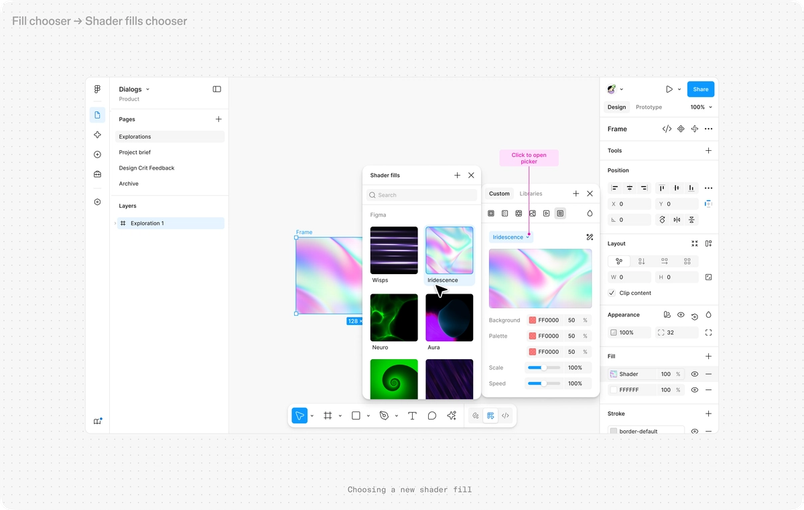

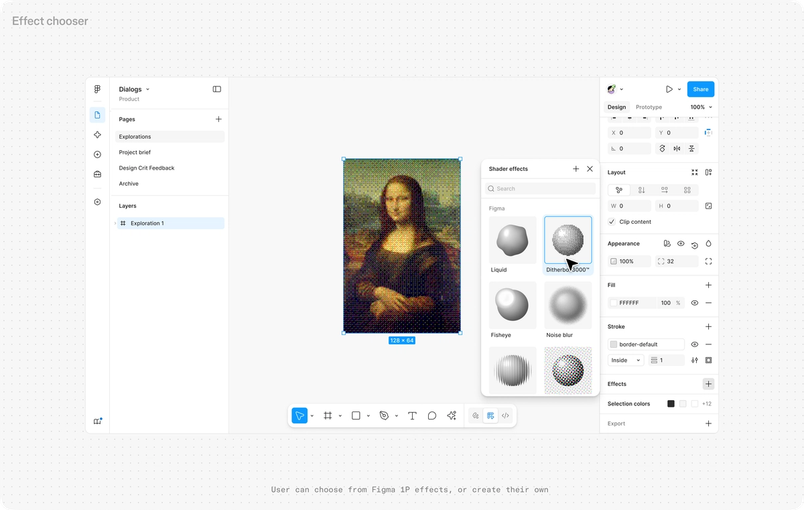
Coming off of my wins with vibe coding, I wanted every design to start as a working prototype. This, I thought, would help us move faster, feel out the experience, and give developers something concrete to build from. It turned out that while vibe-coded prototypes were excellent tools for designers—they let us validate and challenge our own assumptions—they weren’t helpful references for developers, PMs, and stakeholders.
So we switched it up. We developed static mocks in Figma to serve an exploded view of all possible states and get alignment around key features first. And then we moved over to working code prototypes to test and home in on the best solutions without the usual back-and-forth of waiting for implementation, reverting to design, re-implementation, and testing. They helped us arrive at better solutions more quickly, without wasting precious engineer time. I even wrote production code in the Figma codebase and slung a few PRs. Our Slack channel was a frenzy of demos, PR reviews, and on-the-fly decisions. The energy was palpable.
Getting over the finish line
Two weeks before Config, we were 90% of the way there, but the last 10% was the hardest part. We were moving so fast that our leaders and sponsors were reviewing versions that were already out of date. There were moments where it felt like this project was headed for the cutting-room floor.
We communicated fast and often, made instinctual decisions, and created solutions on the fly. Layouts in plugins not quite landing? We built three new UI components that helped the agent’s decision-making. Custom property controls for color palettes needed another three days of engineering? We made the hard cut, and went with a select list in the meantime. Something needed a design polish? We opened a PR. As the designer-founder of this project, I found making cuts especially tough, but I had to learn what to hold back and what to push forward to meet the finish line.
When Georgia and I walked onstage during the Config keynote to present generative plugins and shaders, we were representing the hard work of an incredible team, and a whole new way of working.
This project also taught us how to use Figma in new ways, reducing the friction between design and production. Our Config microsite for shaders, for example, extensively used our Figma MCP server. In this era, an engineer running a local agent expects to read the design with our MCP with get_design_context. Code on the canvas, in other words, is not so different from design on the canvas. We built shaders to be exportable in HTML and React, and are proud to make that part of the updates we’re launching today.
I can’t wait for you to give our features a spin. We’re continuously working to bring more expression and utility to your fingertips, and are eager to see what you share with the world.
Get started with our generative plugins and shaders playground file. Anyone with access to the Figma design agent can build generative plugins and shaders. The agent is available in open beta for Full seat users on all plans. Collab, Dev, and View seats can use the agent in their drafts. The agent is free to use during beta but will begin to consume AI credits in a few weeks.
Rogie is an artist, designer, and programmer who has been working at Figma for six years. He started as a Designer Advocate, motivated by elevating designers’ voices at Figma. Today, he works as a Product Designer, focused on making Figma better through art and illustration tools that enable more expressive visual design.